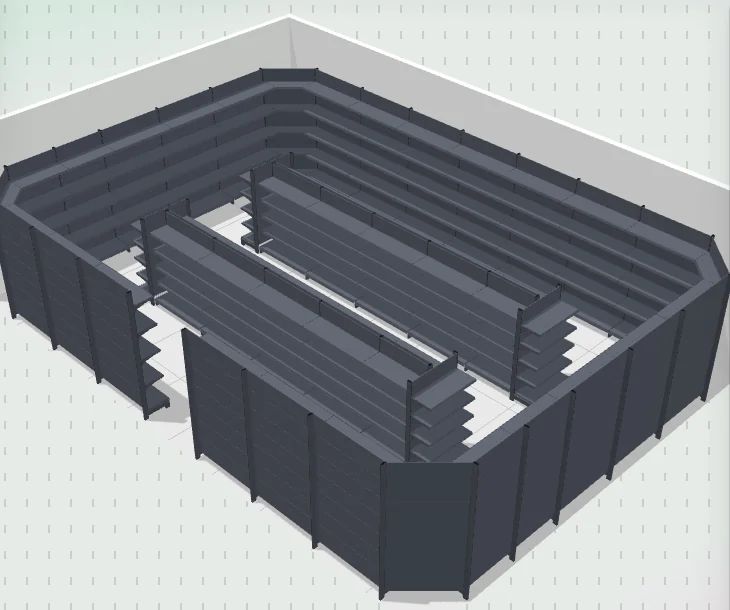
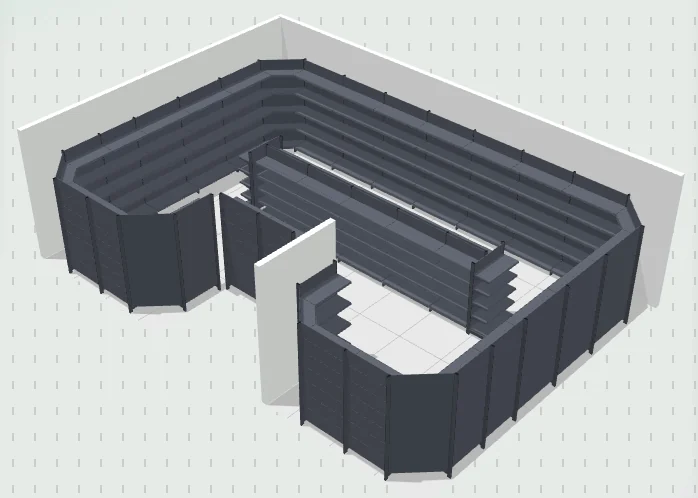
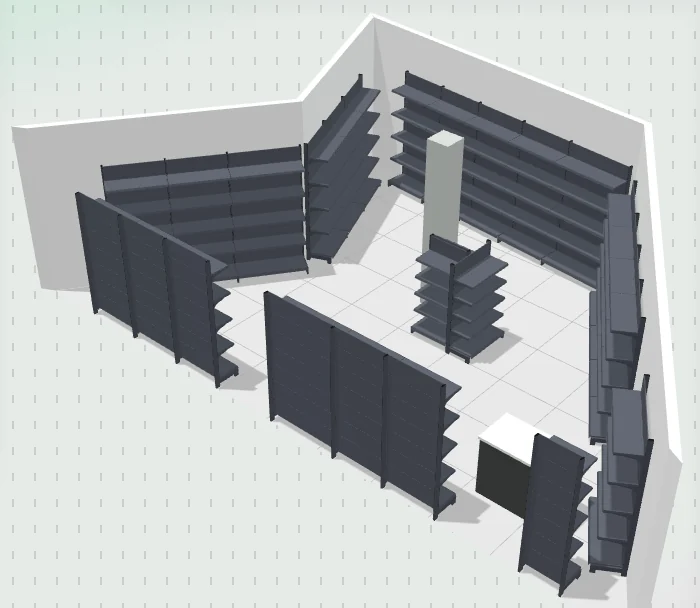
3D view
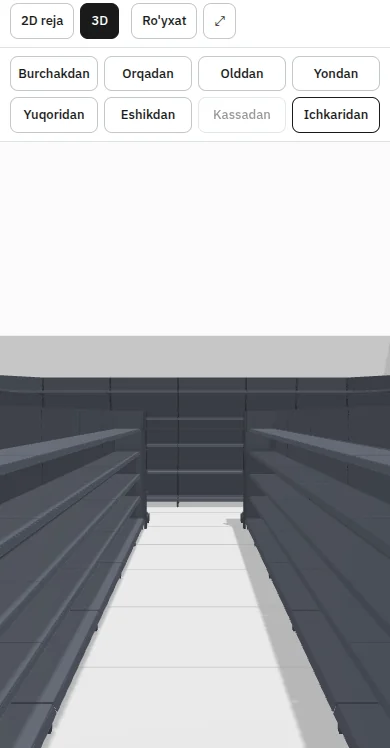
Eight preset views: from a corner, from behind, from the front, from the side, from above, from the door, from the checkout and from inside. In “View” mode the plan fills the whole screen, so you can show it to the client.

For retail shelving sellers
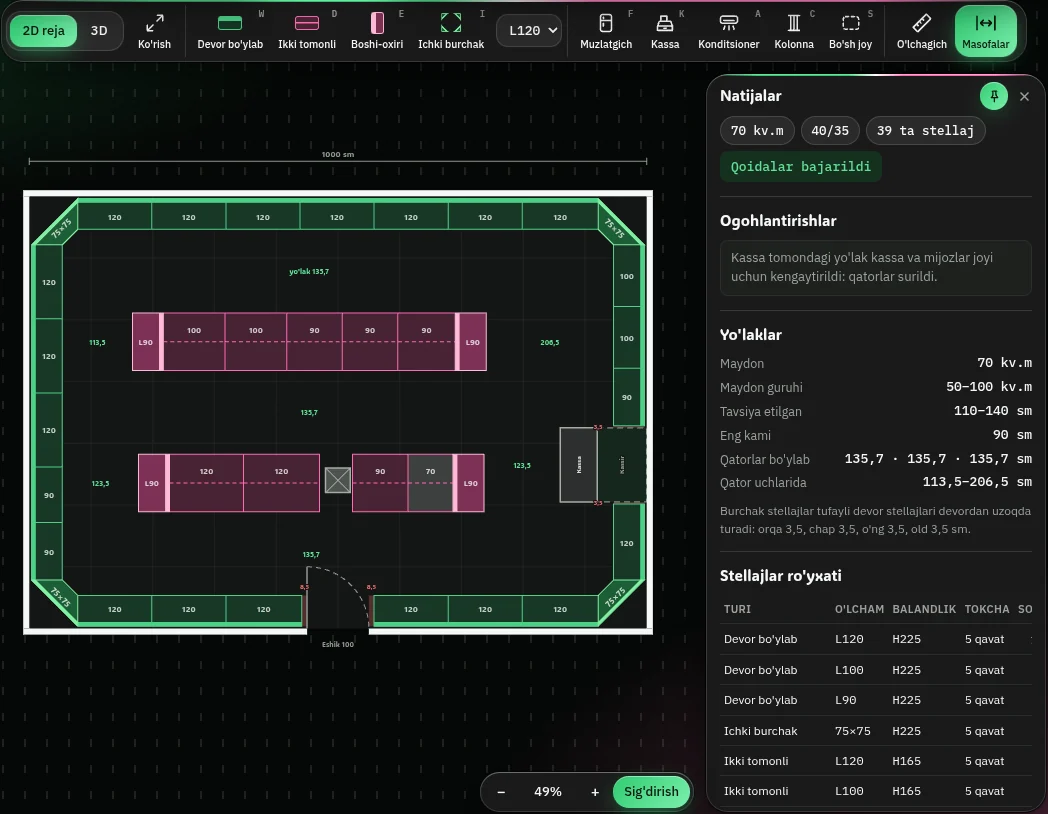
Your manager prepares a 2D plan, 3D view, shelving list and PDF for the client's store in a few minutes. You give them to your client the same day.
KingRax managers use ModulX every day.
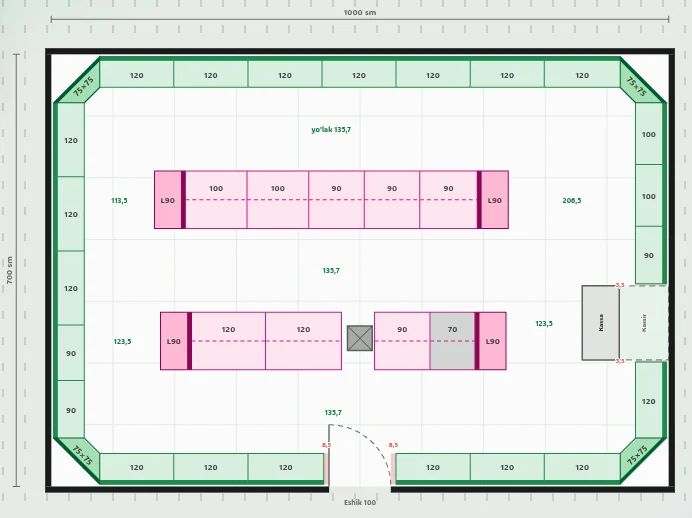
Result
Eight preset views: from a corner, from behind, from the front, from the side, from above, from the door, from the checkout and from inside. In “View” mode the plan fills the whole screen, so you can show it to the client.
The store owner views the plan on their phone without signing in: 2D, 3D and the list. The link is view-only; it can be revoked.
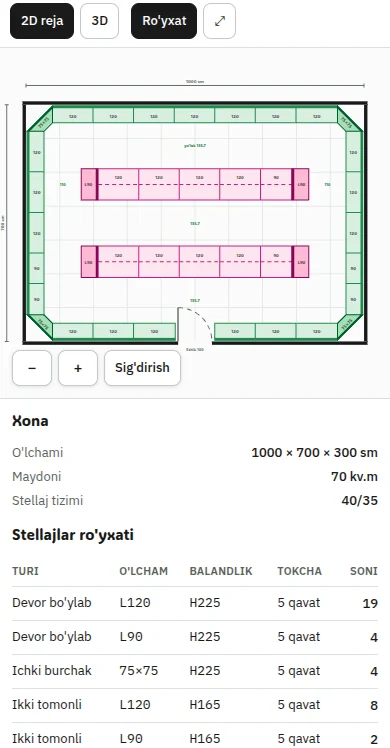
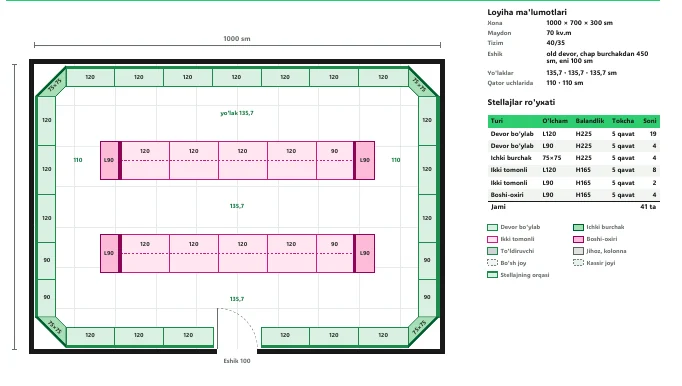
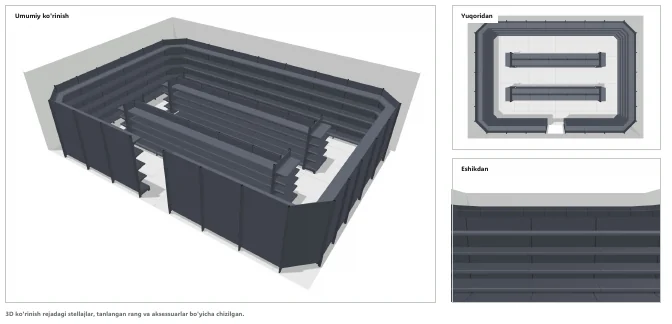
The PDF has the plan, the shelving list and three 3D images. The Excel file has the shelving list.
How it works
You enter the room's shape and dimensions and put the door, checkout and equipment in place.
ModulX lays out the shelving on its own, following the rules. If needed, the manager adjusts it.
2D plan, 3D, list, PDF and link — to your client the same day.
Why ModulX
Drawing on paper or in drafting software is slow. In ModulX, the shelving is laid out automatically once the room dimensions are entered.
Aisle width is recommended based on the store's floor area, and the space in front of the door stays clear. If an aisle is narrow or there is little space at the checkout, ModulX warns you.
In 3D there are views from the door, from the checkout and from inside. You send the client the link, and they rotate and view the plan on their phone.
Projects are shared by all managers and saved automatically. A finished plan is locked, and a deleted one can be restored.
Devices
ModulX runs in the browser: no installation required.
Who it's for
Plan, list and PDF ready in a few minutes — you give them to your client the same day.
The sales department works faster; you show the client their store in 3D.
You show the client the 3D view and give them the plan the same day.
Request a demo: we'll build the plan together using your client's store dimensions.